Write in Markdown, read beautifully typeset articles, and keep everything
on your own Joplin server or in iCloud. No tracking, no analytics, no
third party in the middle.
iPhone & iPad · iOS 26Mac · macOS 26Apple Watch
Coming soon toAndroid
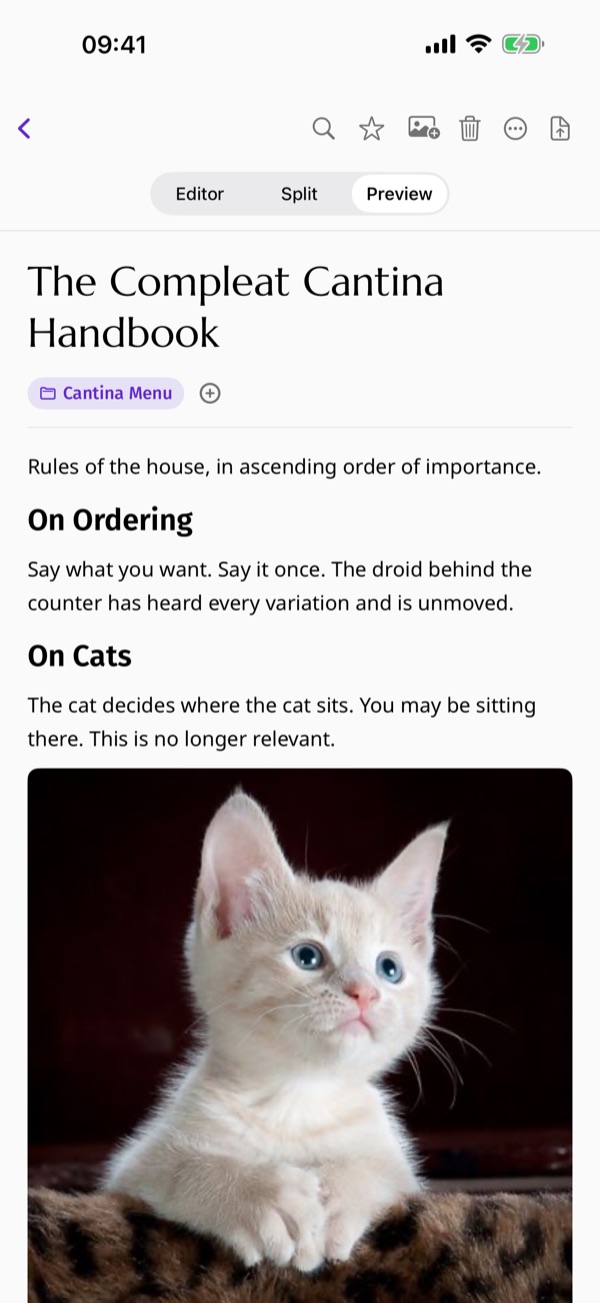
Typography
Your writing, properly set.
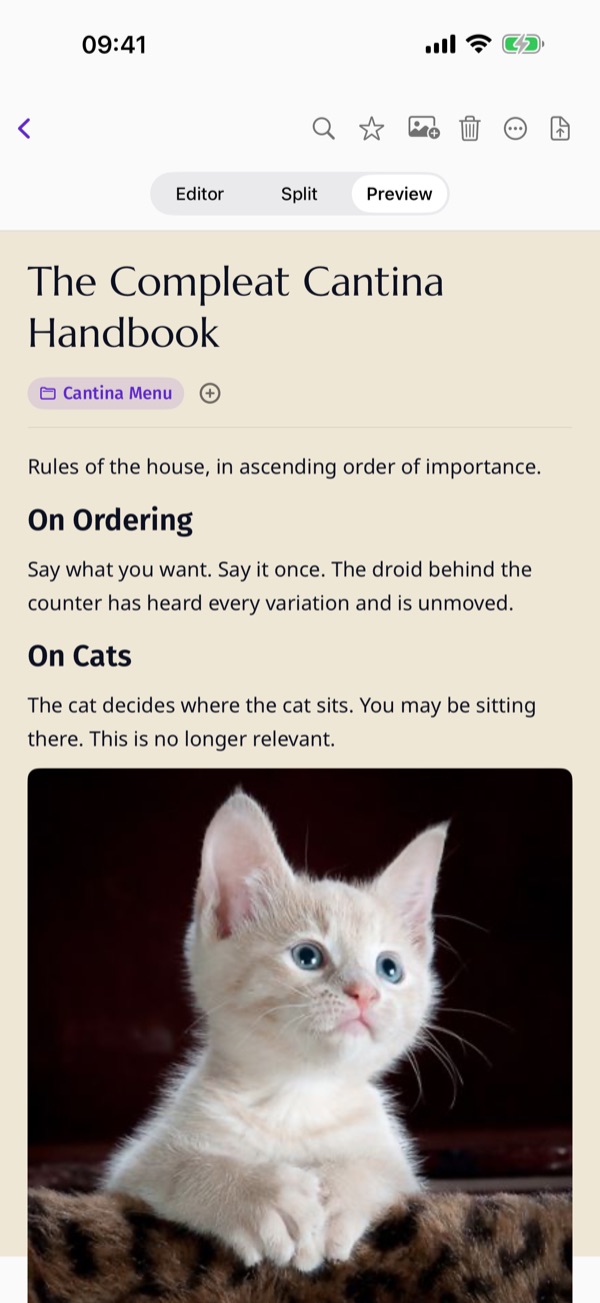
Marcellus for article titles, Noto Sans for body copy, Fira Sans for
the interface. A note reads like an editorial page, not a plain text
box.
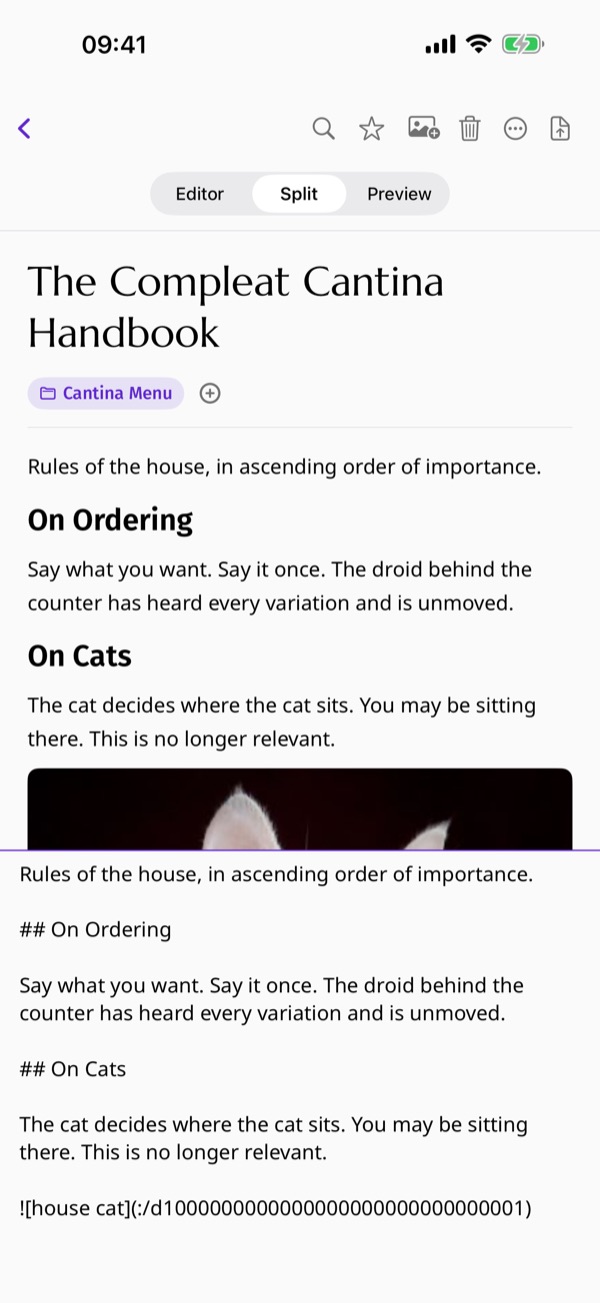
Split view
Write on one side, read on the other.
Editor and preview side by side, with linked scrolling — move one
pane and the other follows. Every note switches between Editor,
Split and Preview.
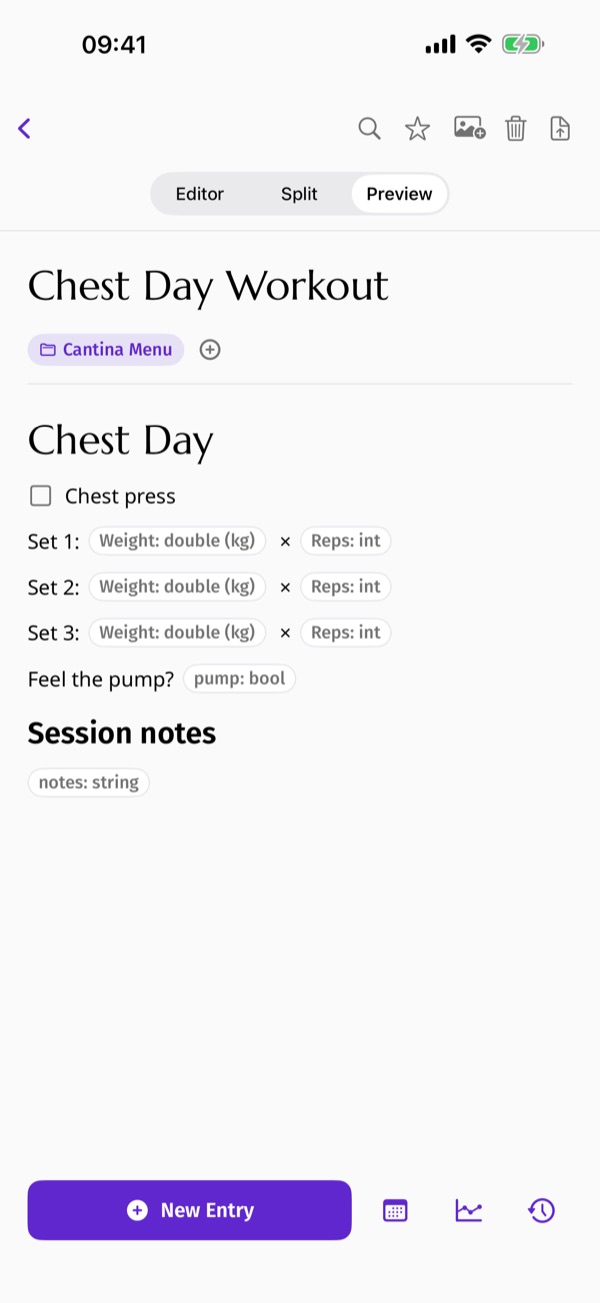
Reusable templates
A note you fill in again and again.
Turn any note into a form. Each session is kept as its own dated
entry, and every number you mark for charting is plotted over time —
a training log that never leaves your notes app.
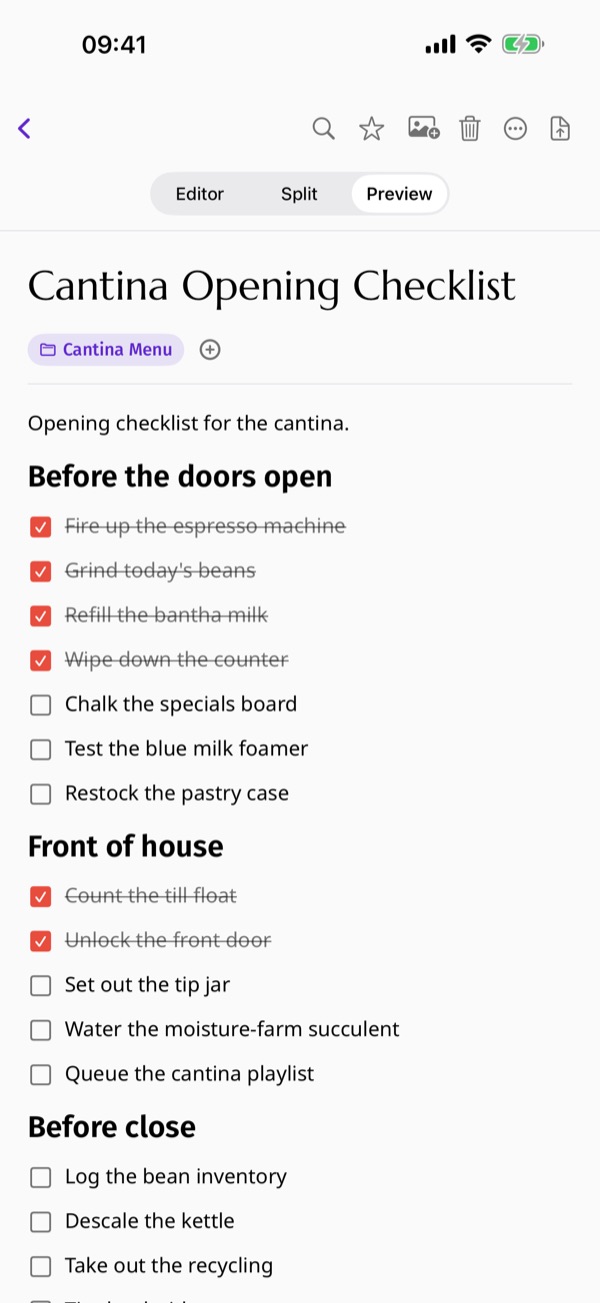
Task lists, headings, inline images, tables and code blocks — with a
formatting guide built into the editor toolbar, behind the
? button.
Paper Pro
Write on paper, not on a screen.
Read and write on warm, textured stock — lined, beige, plaster or
printer — instead of a flat white rectangle. It follows you into
dark mode.
Your library
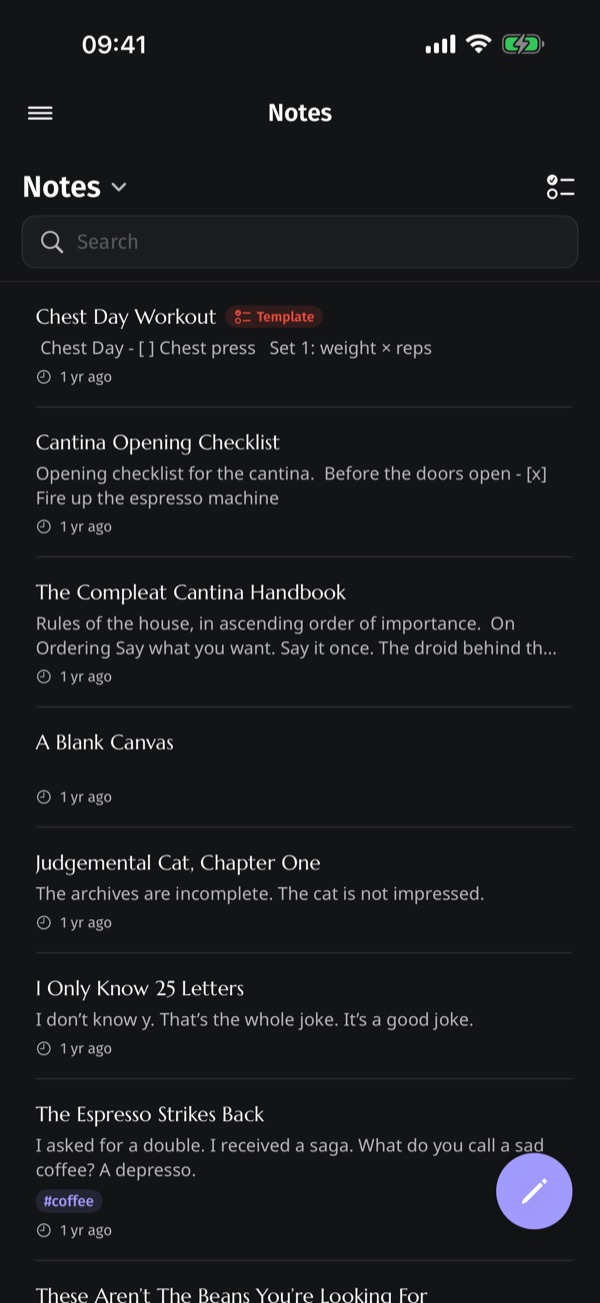
Folders, tags and a bin you can undo from.
Tag chips, folder organisation and a live sidebar filter. Deleted
notes go to a rubbish bin you can restore from. Light and dark, both
tuned for reading.
Sync your way
Your notes stay yours.
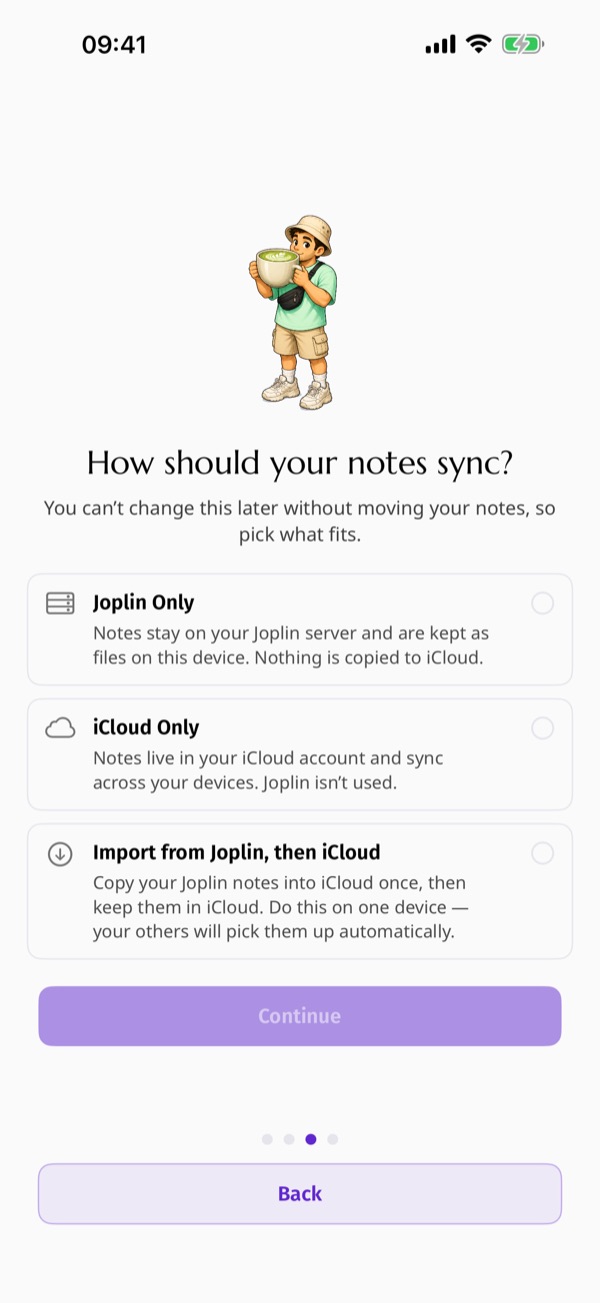
Choose where your notes live the first time you open the app. One
writer per note, so a library never duplicates itself — and nothing
passes through us on the way.
Joplin only. Your own server or Joplin Cloud, kept as files on your device.
iCloud only. Your notes sync across your devices. No server to run.
Import once, then iCloud. Bring a Joplin library across in one go and carry on in iCloud.
The rest of it
Smaller things you notice on the second day.
Zen mode
Hide the sidebar, the note list and the toolbar. Nothing on screen but your article.
In-article search
Match highlighting, next and previous navigation, and a running match counter.
On your wrist
Read your notes on Apple Watch, without getting your phone out.
PDF export Pro
Export a note, or a whole selection, with the same typography you read on screen.
External display Pro
Connect a screen and your note becomes a live, readable page for everyone in the room.
Try it with no server
Choose “Continue with Demo Data” during onboarding and explore Toplin with sample notes.
Reusable templates for the gym
Turn any note into a form you fill in again and again. Toplin keeps every session as a dated entry, so a template becomes a training log with charts — without you ever leaving your notes app.
Create a new note and paste one of the templates below.
Open the ⋯ menu and choose Make reusable template. Toplin marks the note and gives each field a stable identity.
Tap New Entry before each session, fill in the numbers, and save.
Open Charts to see every field marked chart=true plotted over time.
Cardio session
Minutes per machine, with pace and heart rate. Every duration is charted.
Three working sets per lift. Weights are charted so you can see the progression.
# Chest Day

- [ ] Barbell bench press
  Set 1: %%bench_1_weight:double(unit=kg,label=Weight,chart=true)%% x %%bench_1_reps:int(label=Reps)%%
  Set 2: %%bench_2_weight:double(unit=kg,label=Weight,chart=true)%% x %%bench_2_reps:int(label=Reps)%%
  Set 3: %%bench_3_weight:double(unit=kg,label=Weight,chart=true)%% x %%bench_3_reps:int(label=Reps)%%

- [ ] Incline dumbbell press
  Set 1: %%incline_1_weight:double(unit=kg,label=Weight,chart=true)%% x %%incline_1_reps:int(label=Reps)%%
  Set 2: %%incline_2_weight:double(unit=kg,label=Weight,chart=true)%% x %%incline_2_reps:int(label=Reps)%%
  Set 3: %%incline_3_weight:double(unit=kg,label=Weight,chart=true)%% x %%incline_3_reps:int(label=Reps)%%

- [ ] Cable fly
  Set 1: %%fly_1_weight:double(unit=kg,label=Weight,chart=true)%% x %%fly_1_reps:int(label=Reps)%%
  Set 2: %%fly_2_weight:double(unit=kg,label=Weight,chart=true)%% x %%fly_2_reps:int(label=Reps)%%
  Set 3: %%fly_3_weight:double(unit=kg,label=Weight,chart=true)%% x %%fly_3_reps:int(label=Reps)%%

- [ ] Dips
  Reps: %%dips_reps:int(label=Reps,chart=true)%%
  Added weight: %%dips_weight:double(unit=kg,label=Added)%%

- [ ] Press-ups to finish
  Reps: %%pressup_reps:int(label=Reps,chart=true)%%

Session length: %%session_minutes:int(unit=min,label=Minutes,chart=true)%%
Felt strong today? %%felt_strong:bool%%
Notes: %%notes:string(multiline=true,placeholder="Form cues, niggles, what to try next week")%%
The syntax is %%name:type(options)%%. Types are int, double, string and bool; useful options are label, unit, placeholder, multiline and chart. Charting works on numbers only. Fields written under a - [ ] line are grouped under that exercise. The same reference lives in the app, behind the ? button in the editor toolbar.
Privacy
Your notes travel between your device and your Joplin server or your iCloud account, and nowhere else. There is no tracking and no analytics of what you write. When you sign in to Joplin, your password is stored securely in the device Keychain.
What you need
For Joplin sync, a Joplin server — your own or your provider's. For iCloud sync, an iCloud account signed in on your device.
Requirements
iOS 26 or later, iPadOS 26 or later, or macOS 26 or later.
Free to use
Toplin is free. Toplin Pro unlocks PDF export, paper backgrounds and the external display.

 Coming soon to
Android
Coming soon to
Android